Organizer Guide
Building Your Route
The Route Builder is the heart of TourCue. Instead of the fastest route, you hand your drivers the right one — the exact roads you want them on. It takes about a minute to learn.
1Place your start and end
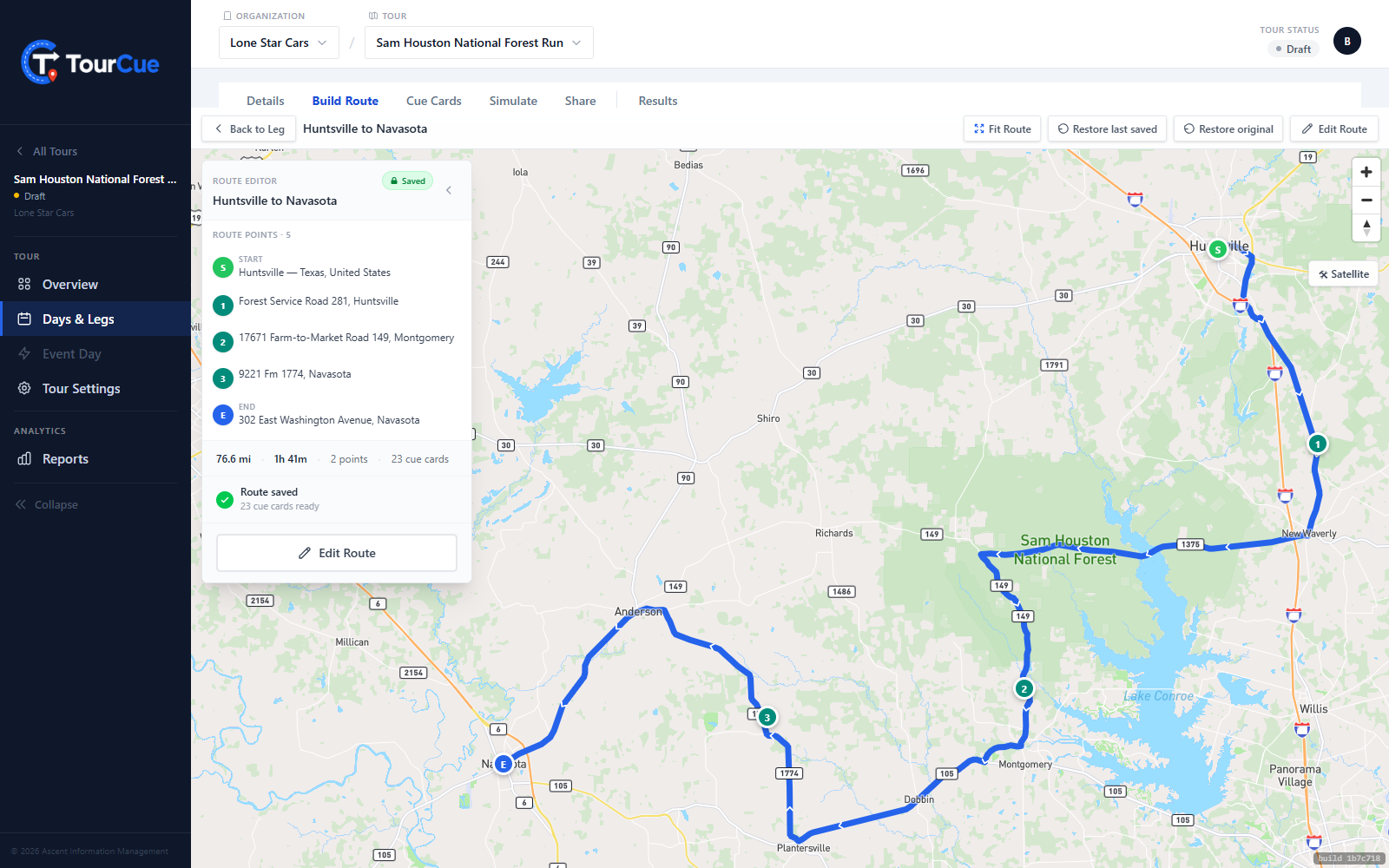
Click your start on the map — or search for an address — then your end. The moment both are set, TourCue draws a complete, drivable route along the roads between them.
2Shape the path
Add the places that matter — a fuel stop, a regroup point — and the route reshapes to include them. Want a specific road? Grab the blue line anywhere and drag it onto the road you want; TourCue drops a silent shaping point there and recalculates.
3Save — and your cue cards appear
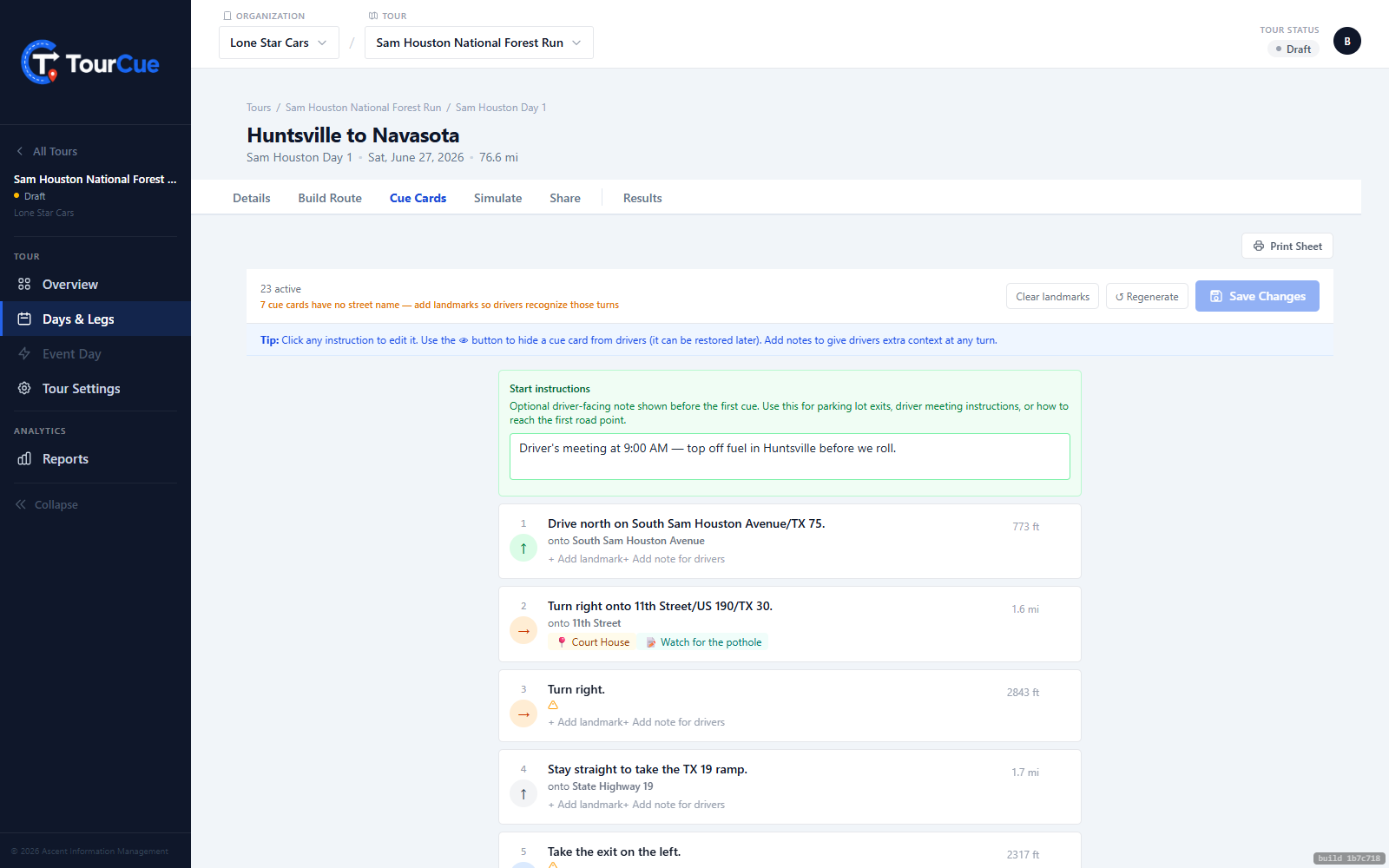
When you save, TourCue generates the turn-by-turn cue cards from your route and stores them. Drivers navigate from exactly these — TourCue does not re-ask a map service at drive time — so what they see is what you approved.
Troubleshooting tricky spots
- Arrives with a U-turn? Drop the End on the actual entrance road, correct side.
- Driveway or cul-de-sac causes an in-and-out? Drop the endpoint at the gate off the public road.
- A red U-turn badge on the Cue Cards tab? A point is on the wrong side of a divided road — nudge it over and save again.